Categories at hand
Save each bank category once. At checkout you see the rate, limit and expiry date.
 Cashverse
Cashverse helps you choose a card before payment: selected categories, store MCC, limits and budget balance stay in one place.
Categories, MCC codes, limits and budgets stay together. No need to open five banking apps at checkout.
Save each bank category once. At checkout you see the rate, limit and expiry date.
Find the store and check its MCC. If the category does not match, use another card.
See what is already spent and what remains for today. No spreadsheets or notes.
Dictate an expense or categories. Review the preview and apply only correct rows.
More stores and MCC data, multiple wallets, sync and fast AI input for frequent operations.
Open Cashverse in a browser or on Android. Categories, stores and budget stay close.
The useful moment is before checkout, while you can still choose another card or payment path.
Check the store, MCC, category and limit. If the selected category does not fit, use another card.
Check how the bank may classify the purchase: marketplace, delivery, restaurant, pharmacy or online store.
Save selected bank categories and limits, so you do not have to open several apps at checkout.
These are real Cashverse screens for merchant search, bank categories and monthly budgeting.
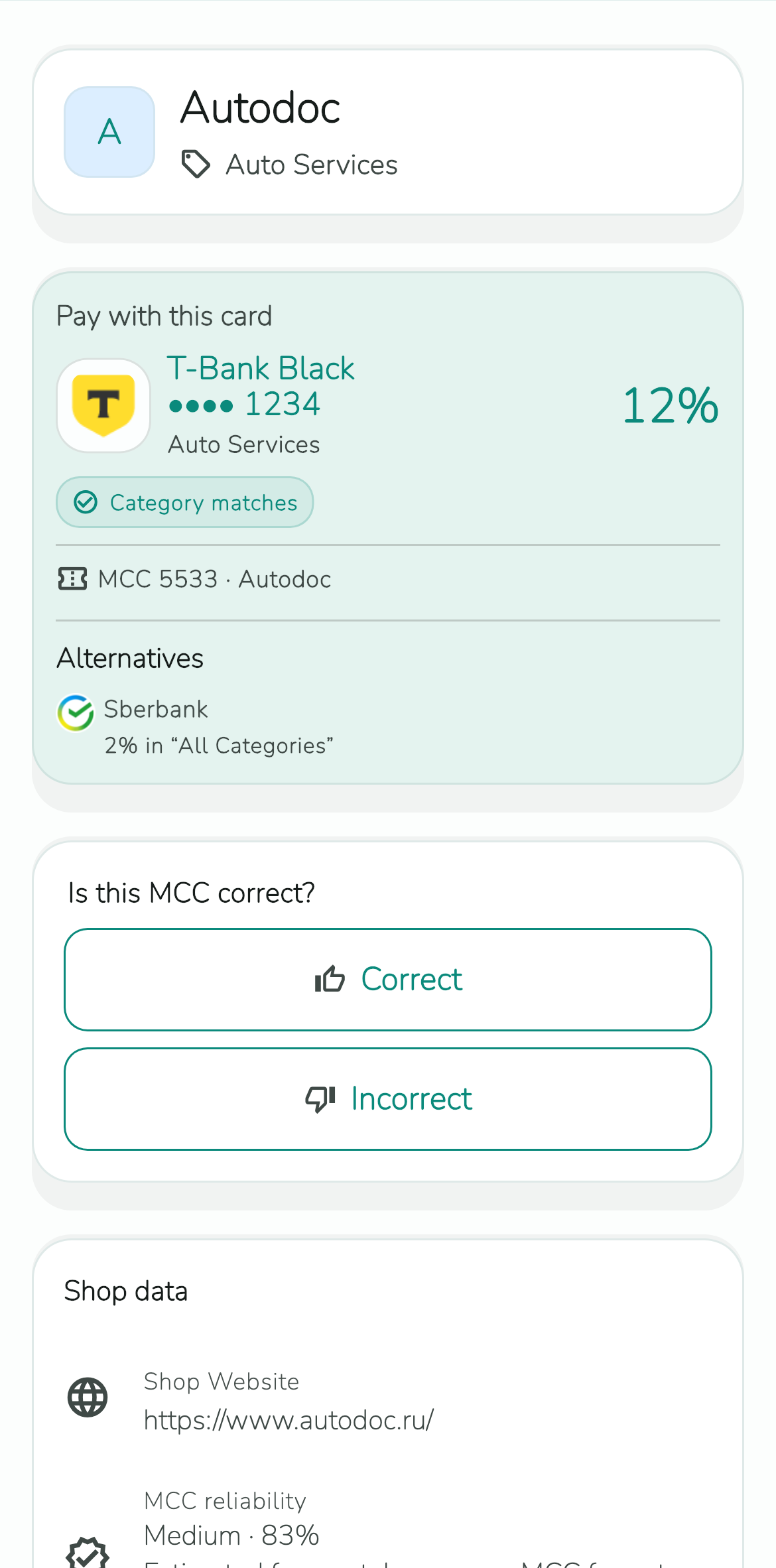
Cashverse matches the merchant MCC to active categories and shows the best option before payment.
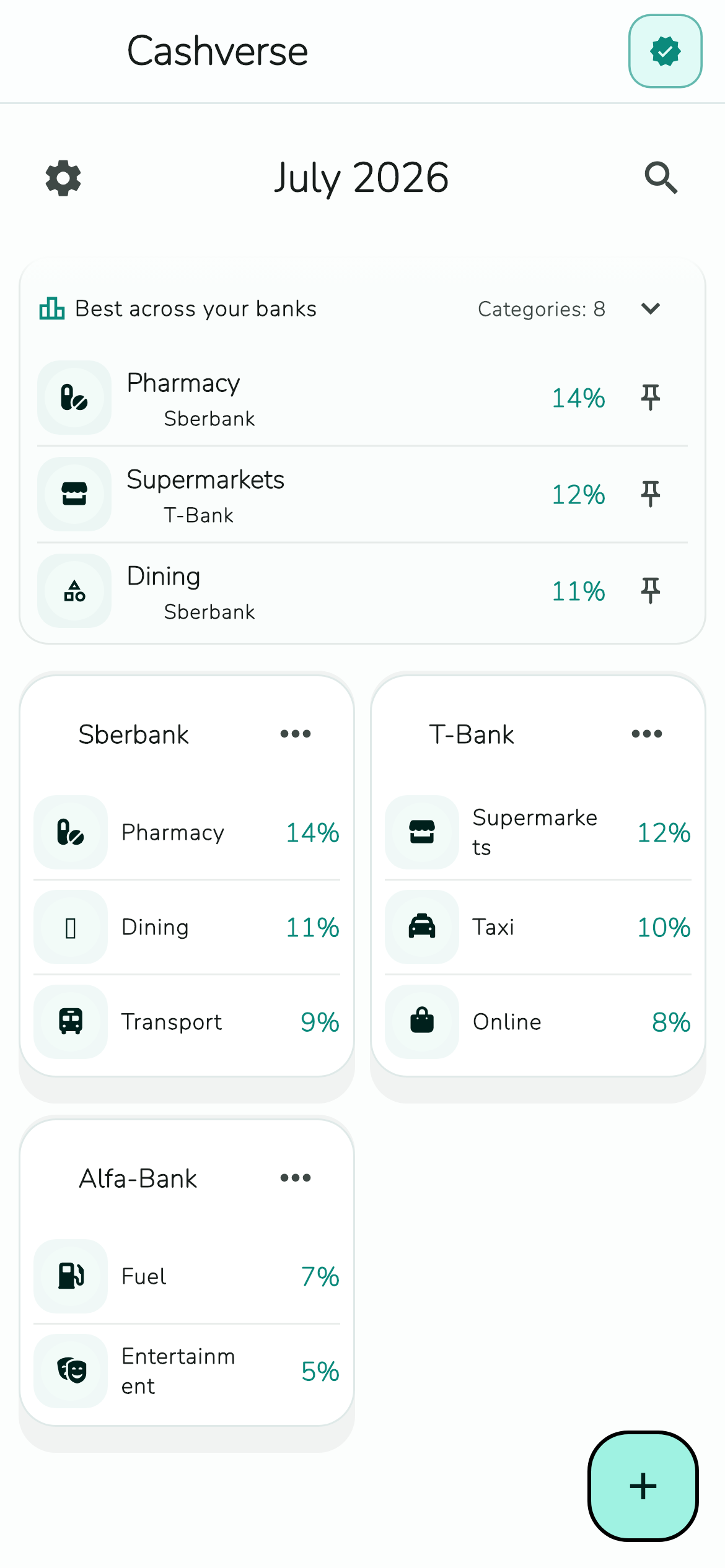
Keep each bank's best rates and active categories on one screen for the whole month.
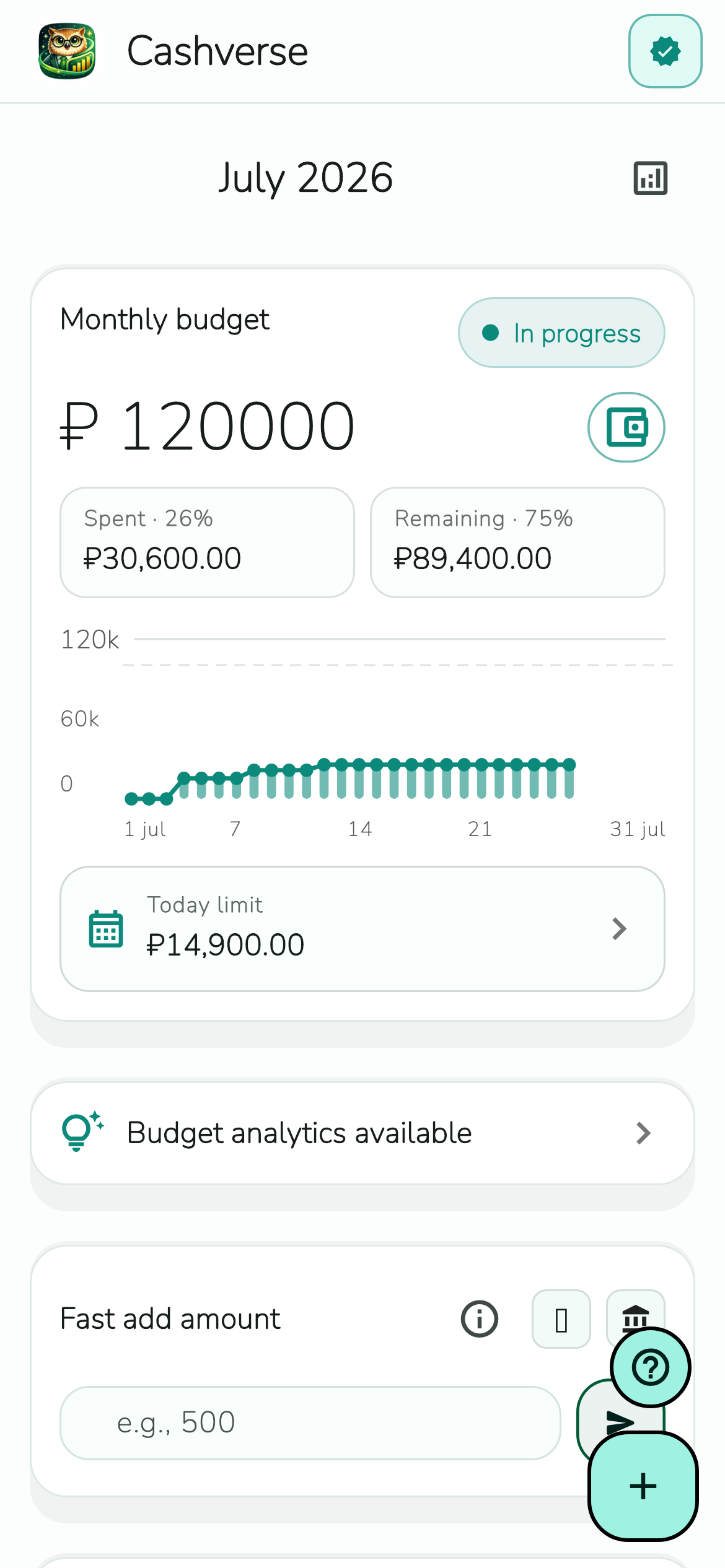
Spent, remaining balance, daily limit and analytics stay together.
Cashverse brings the two most useful checks into one workflow: the merchant MCC and the cashback rules on your cards.
Keep rates, monthly limits and exclusions together, then review the card choice before checkout.
See the featuresSearch the merchant, review the code and category, and compare them with the rules set by your bank.
Open CashverseAdd your banks, categories and limits. Before payment you will see which card fits this purchase. Final cashback still depends on the actual transaction and bank rules.